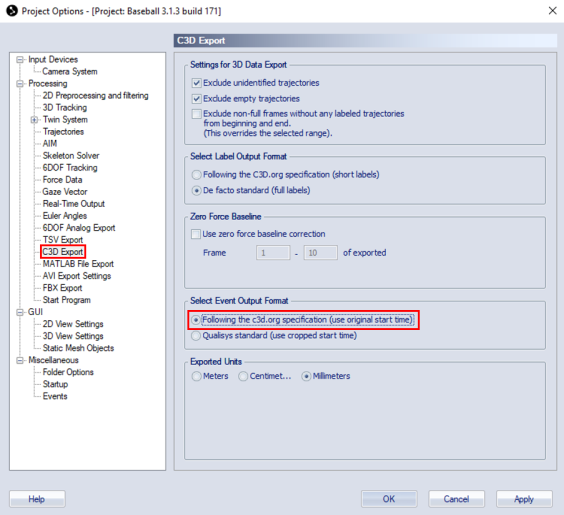
When using Visual3D version 2020.05.1 or later, it is required to set the Event Output Format to follow the c3d.org standard
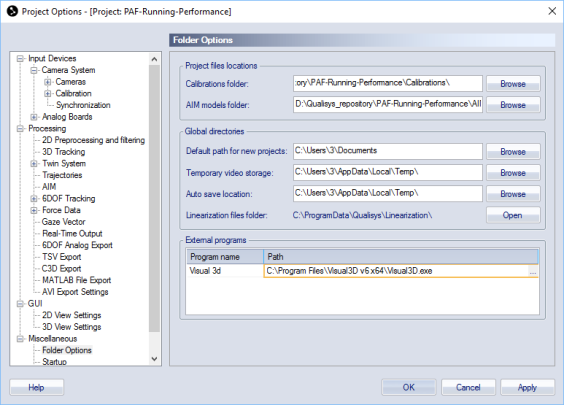
It is necessary to specify path to Visual3D program. In QTM, go to Project Options > Miscellaneous > Folder Options and set the path for Visual3D to C:\Program Files\Visual3D\Visual3D.exe.
Some non-standard graphic files must be moved from the QTM project folder to the Visual3D program folder so that the hand graphics show up correctly:
Copy all files with extension *.obj and *.mtl from the following folder: [QTM project folder]\Templates\Assets\Models